 WealthOn
Every bank.Every loan.One place.
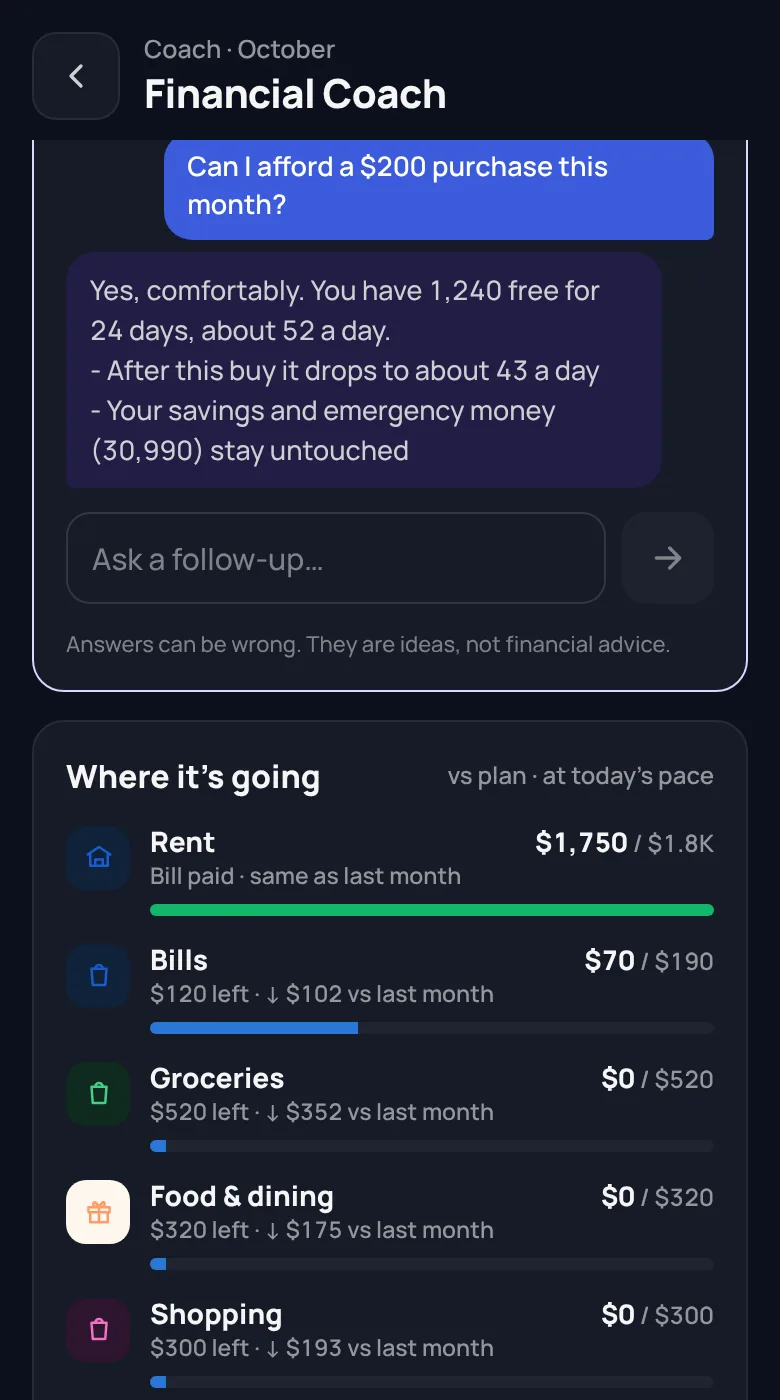
Salary in one bank, a credit card in another, EMIs going out of a third. Keeping track gets confusing fast. WealthOn brings every account, loan and EMI into one app and tells you what is really free to spend.
Set up in five minutes.
No account to make and nothing to connect. Open the app and answer a few questions.
Tell it about your month
Your currency, your take-home pay and the day your month starts: the 1st or your payday.
About 1 minuteAdd what you must pay
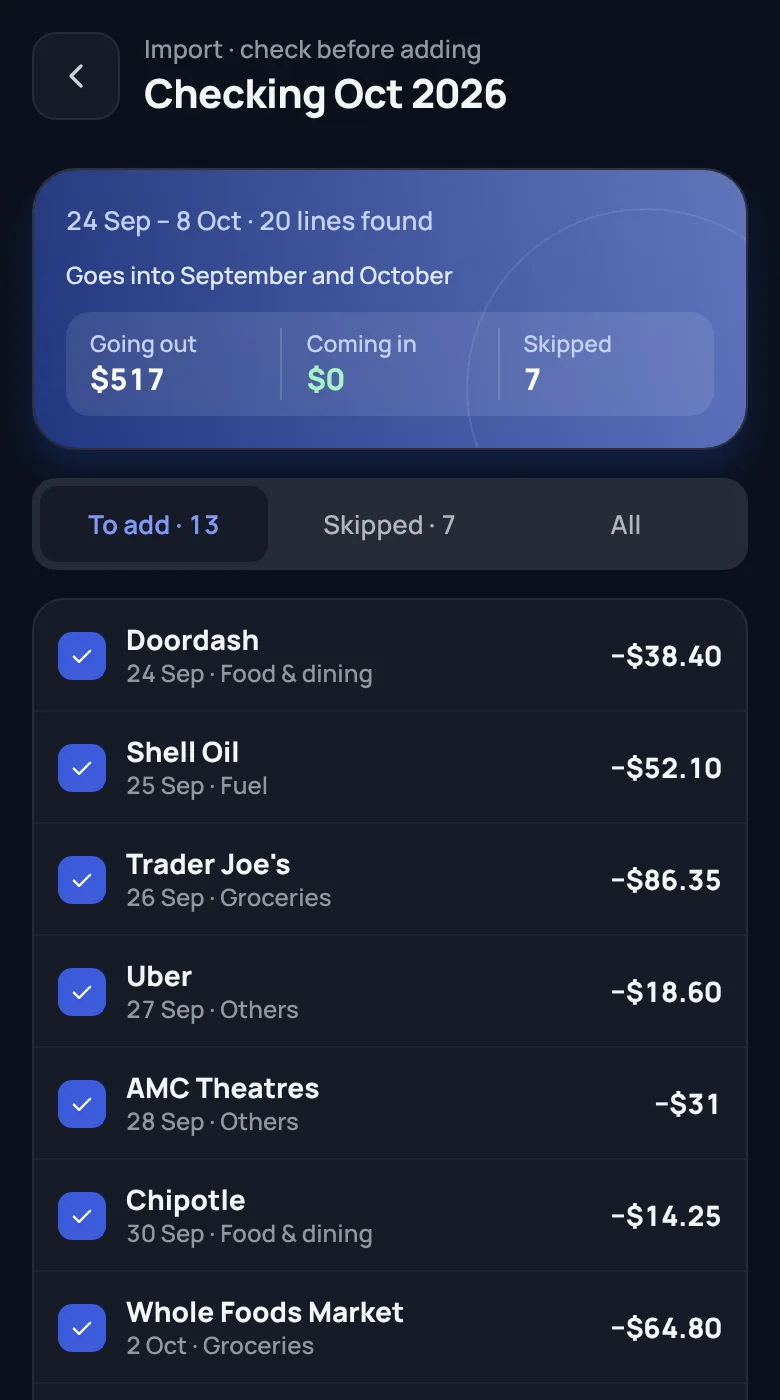
Rent, loan payments, insurance, subscriptions. Or import last month’s bank statement and let WealthOn find them.
2 to 4 minutesCheck one number each day
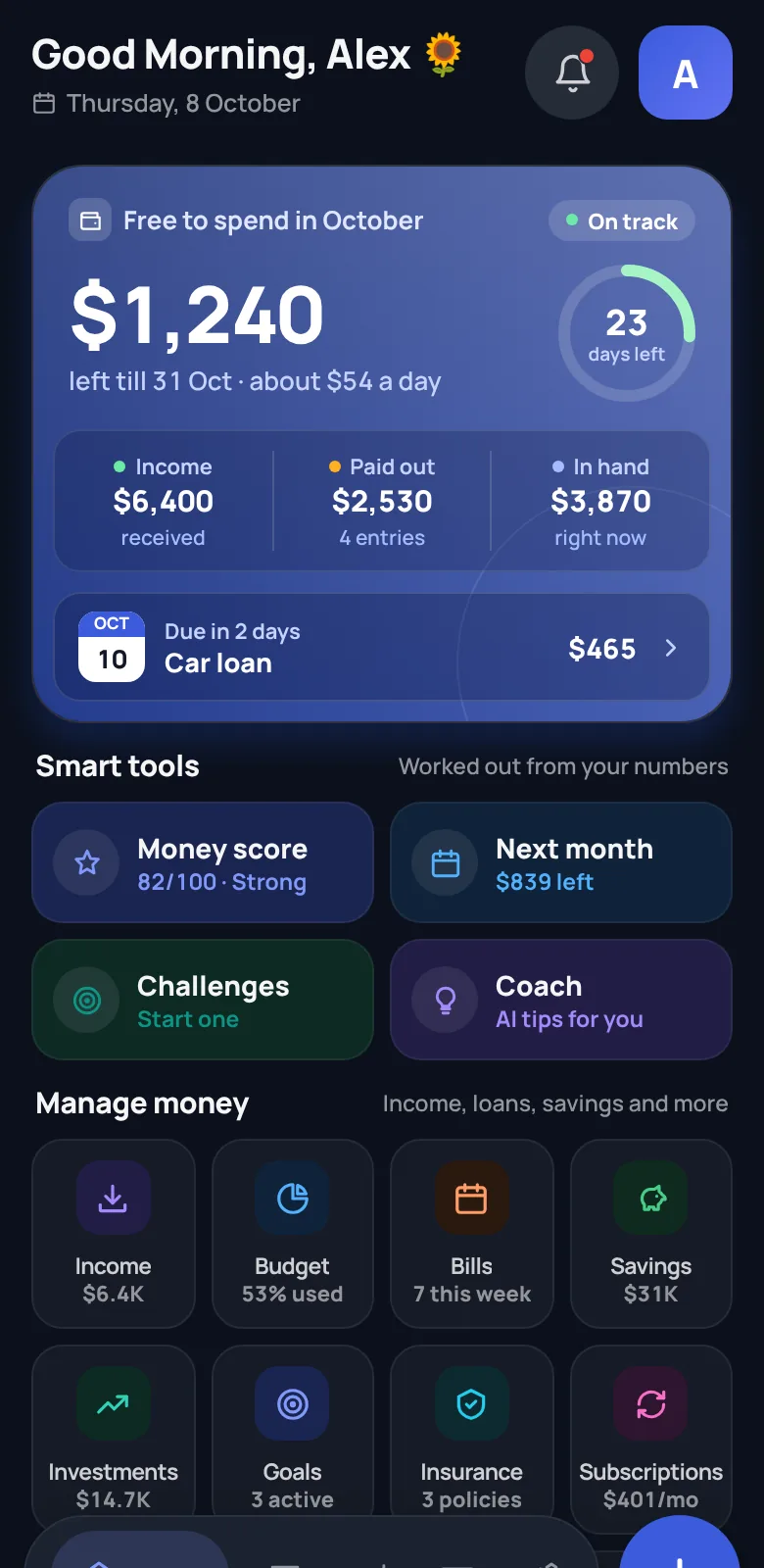
Home shows what is free to spend until the month ends. Add spending in two taps, or import again next month.
A few seconds a dayWhat it does for you.
Stop opening four bank apps to know where you stand. Import a statement from each bank, and WealthOn puts it together with your loans, EMIs and bills.
Your money stays on your phone.
Your entries live in a database on your phone. We, the developer, never see them and keep no copy. Only you decide where a backup goes.
Private by design
Pro pays for WealthOn, so there are no ads, no tracking and nothing to sell.
- Never asks for your bank passwordIt reads a statement file you download yourself. There is nothing to link.
- Never moves your moneyWealthOn can’t pay, transfer or touch any account. It only shows numbers.
- Never makes you sign upNo email, no phone number, no account. Open it and start.
- Never shows ads or sells dataThere are no ads and no trackers. Pro is how WealthOn is paid for.
Free to use. Pro is one payment.
Everything you need for the month is free. Pro saves you time every month, and you pay for it once.
Free
Free forever
- What is free to spend, every day
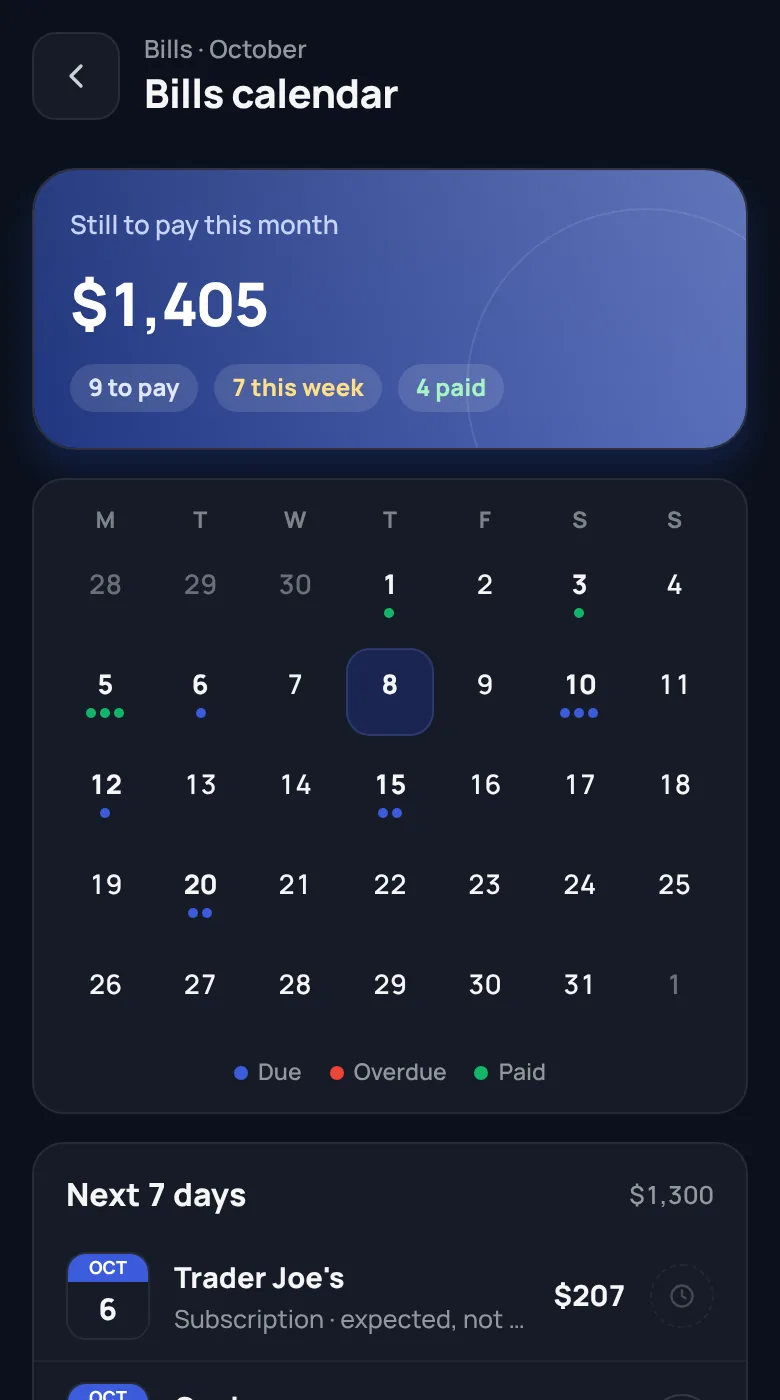
- Budgets, bills calendar and repeat entries
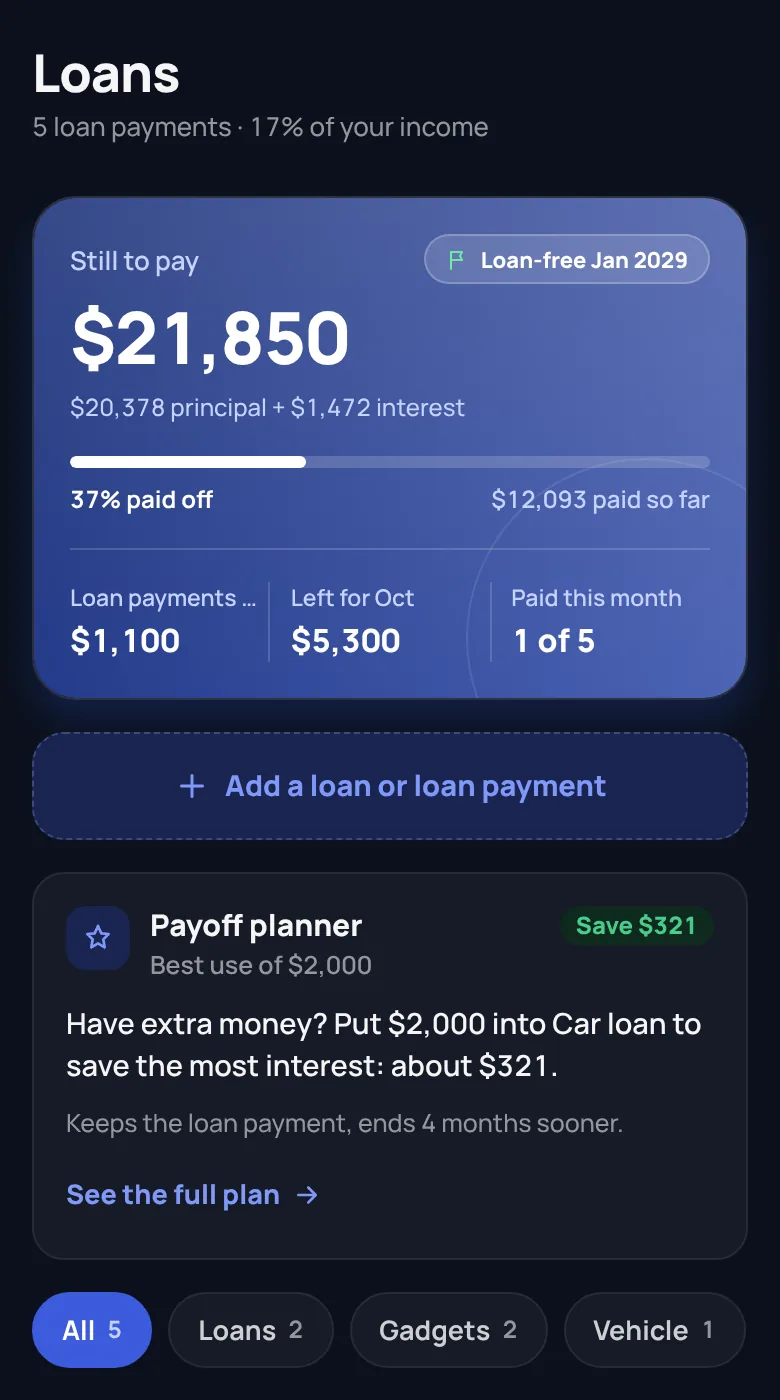
- Loans and your debt-free date
- Money score, reminders, backup and app lock
- Your first statement import
WealthOn Pro
One payment. No monthly fee, ever.
- Unlimited statement imports from any bank
- Smart categories and the AI coach
- Payoff planner, next month preview and subscriptions finder
- Analytics for 3 months, 6 months and a year
- Widget, CSV export and extra colours
Try Pro free for 7 days, starting with your first import. No card needed for the trial. When it ends you keep everything you added and carry on with Free. The price is shown in your currency on Google Play.
Questions people ask.
Short answers to what most people want to know before they install.
Your data
Is my money data safe?
It stays in a database on your phone and never goes to our servers. You can add a fingerprint lock so nobody else can open the app.
What if I lose or change my phone?
Turn on automatic backup and WealthOn saves a copy to a folder you choose every day or week. You can also send a copy to Google Drive in one tap and restore it on your new phone.
Does the AI see my transactions?
No. Smart categories get only shop names you haven’t filed before. The coach gets monthly totals by your category names. Nothing is stored, and you can turn both off.
Can I delete everything?
Yes. Settings has “Erase all data”, and uninstalling the app removes it too. There is no copy anywhere else to ask us to delete.
Does it work without internet?
Yes. Everything works offline except smart categories and the coach, which need a connection.
Using the app
Which banks does it work with?
Any bank that lets you download a statement as Excel (XLS or XLSX) or CSV, which most do from their app or net banking. Import one from each bank and they all land in one place. PDF statements aren’t supported because they can’t be read reliably.
Does it work in my country?
Yes. It supports 21 currencies, and words follow where you live: “EMI” in India, “loan payment” elsewhere. Your month can start on the 1st or on your payday.
Do I have to type every expense?
No. Import your statement once a month, and set rent, salary and other fixed amounts to repeat by themselves. Typing a single expense takes two taps.
What happens when the Pro trial ends?
Nothing is lost. Pro features lock again and you carry on with Free. Buy Pro once if you want it back. There’s no subscription.
Is there an iPhone app?
Not yet. WealthOn is for Android first. Write to us if you want to hear when an iPhone version is ready.
Still have a question? Write to the developer directly.
support@wealthonapp.com